2 min read
How to make Brave horizontal tabs thinner (compact)
As a long time Firefox user on Linux (using it since XP-days), the performance and responsiveness has dropped in comparison…

As a long time Firefox user on Linux (using it since XP-days), the performance and responsiveness has dropped in comparison to Chromium based browsers. This is especially noticeable on my ThinkPad E480 with high CPU usage. It doesn’t feel slow but having the fans on when browsing is unfortunate.
I’ve been trying out Brave and found it to be a great browser on Linux. One thing I dislike are the thick tabs. Turns out, you can actually make it compact with a simple flag (just like Firefox).
- Open a new tab in Brave
- Type “
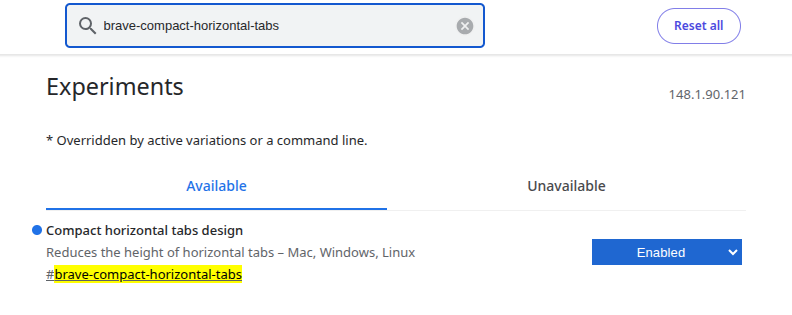
brave://flags” and press enter - Now search for “
brave-compact-horizontal-tabs“ - Set this to enabled and restart your browser
Before (Brave)

After (Brave Compact Mode On)

Much better! Looks great on a 1080P display.
Bonus: How to enable compact mode on Firefox
If you’re rocking Firefox, you can do the same on Firefox with these steps:
- Open a new tab in Firefox
- Type “
about:config” and press enter - Search for “
browser.compactmode.show” and set this to “true“ - Now right-click on an empty space on your tab bar and click customize toolbar
- At the bottom, click on “Density and set it to Compact (not supported)
- Click done
Enjoy compact Firefox.